
Blog / Design / Portfolio website with Claude
Design · Build notes
From Linktree to a professional portfolio website: how I built mine with Claude
I swapped my link-in-bio page for a professional portfolio website built with Claude Design and Claude Code. Here is the process, all eight logo concepts, the brand kit that came out of them, and the two mistakes that sent me back to the start.

· 11 min read
For a long time my portfolio was a Linktree. There’s nothing wrong with Linktree, Beacons or Carrd: they’re fast, free and they do their job. But after seven years in SaaS and B2B marketing, I wanted a professional portfolio website that shows how I work, not a stack of buttons.
This post covers how I built mashfiquar.net with Claude Design and Claude Code. I followed a tutorial by Metics Media, then went past it. You’ll see the real logo concepts, the brand kit that came out of them, and the two mistakes that sent me back to the start, so you can skip them.
8
logo concepts in three rounds
4
typefaces tested on the final mark
7
pages, built one at a time
Why I moved from Linktree to a professional portfolio website
A link page tells a visitor where to click. A portfolio website tells them what you do, how you think and whether they can trust you with their budget. As a working professional, I think you owe people that second version.
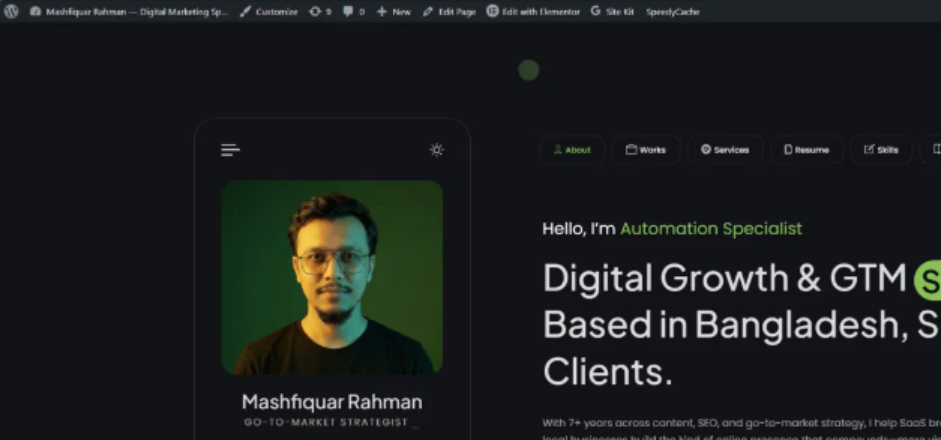
My first real portfolio was a WordPress site on RyansCV, a theme a friend passed on to me. It got my foot in the door of thinking like a designer, and the content was on point. But I had a picture in my head of how the site should feel, and I knew that with some effort I could build it myself without buying a theme.
I also wanted a real project to try Claude Code on. My own site was the safest place to experiment.
The stack: WordPress, Astra and Elementor
I looked at two setups before I started:
- Astro with WordPress as a headless CMS. Fast and modern, but more moving parts than a portfolio needs today. It’s on my list for a future version.
- WordPress with the Astra theme and Elementor. Familiar, quick to change, and easy to edit visually without touching code.
I went with WordPress, Astra and Elementor. Astra stays out of the way, Elementor lets me edit any section myself, and WordPress means I can keep publishing posts like this one without a developer.
The first design, and mistake #1
The build followed this tutorial from Metics Media. The host, Matt, takes a sample business from design to a live WordPress site using Claude Design and then Claude Code. His business already had a logo and photos, so Claude Design had a brand to work from.
I didn’t. I opened Claude Design, replaced Matt’s prompt with my own requirements, and added a photo of myself. That was all the branding I gave it.
Honestly, the first output was great. Without a brand kit it borrowed the colors from my old site, because that was the only branding I had. It looked professional, but something wasn’t clicking.

Mistake #1: starting without a brand kit
Claude Design can only be as specific as what you give it. With no logo, colors or type to work from, you get a good site that could belong to anyone.
Mistake #2: redesigning without a brand kit
So I did my homework. I looked at popular UI/UX design studios, current design trends and a lot of portfolios, trying to work out why the good ones feel considered. This is what I brought back:
- One strong color used with discipline, instead of five competing ones.
- Big, tight headlines with plenty of white space around them.
- Small monospace labels that add structure without adding noise.
- Cards with soft corners and hairline borders instead of heavy shadows.
- Real numbers up front, so a visitor sees results before reading a paragraph.
Then I made my second mistake. I rebuilt the whole design in Claude Design, again without a brand kit. The result was fantastic: simple, modern and professional. And it was still in my old black and neon green.
Mistake #2: a new layout on old branding
A new layout on old branding is still old branding. I’d redesigned twice before deciding what I wanted the site to feel like.
Finding the blue
I started reading everything I could about logos, brand color, typography and gradients. Then I came across a deep blue fading into a soft, almost white glow. It’s the gradient you see on my home page today.
It felt right straight away. It’s how I feel on a good day: joyful, bright and confident in my own skin. That blue became Signature Blue, #1F4FD6, and everything else was built around it.
Your brand isn’t whatever looks professional. It’s whatever still feels true when you look at it every day.
What choosing the blue taught me
Eight logo concepts in three rounds
With a color picked, I went back to Claude Design to find a mark. I asked for a wordmark of my name with a distinctive M. Over three rounds, Claude Design drew eight concepts, and each round narrowed the choice instead of starting over. These are the real files.
Round 1: heavy lowercase and three M’s
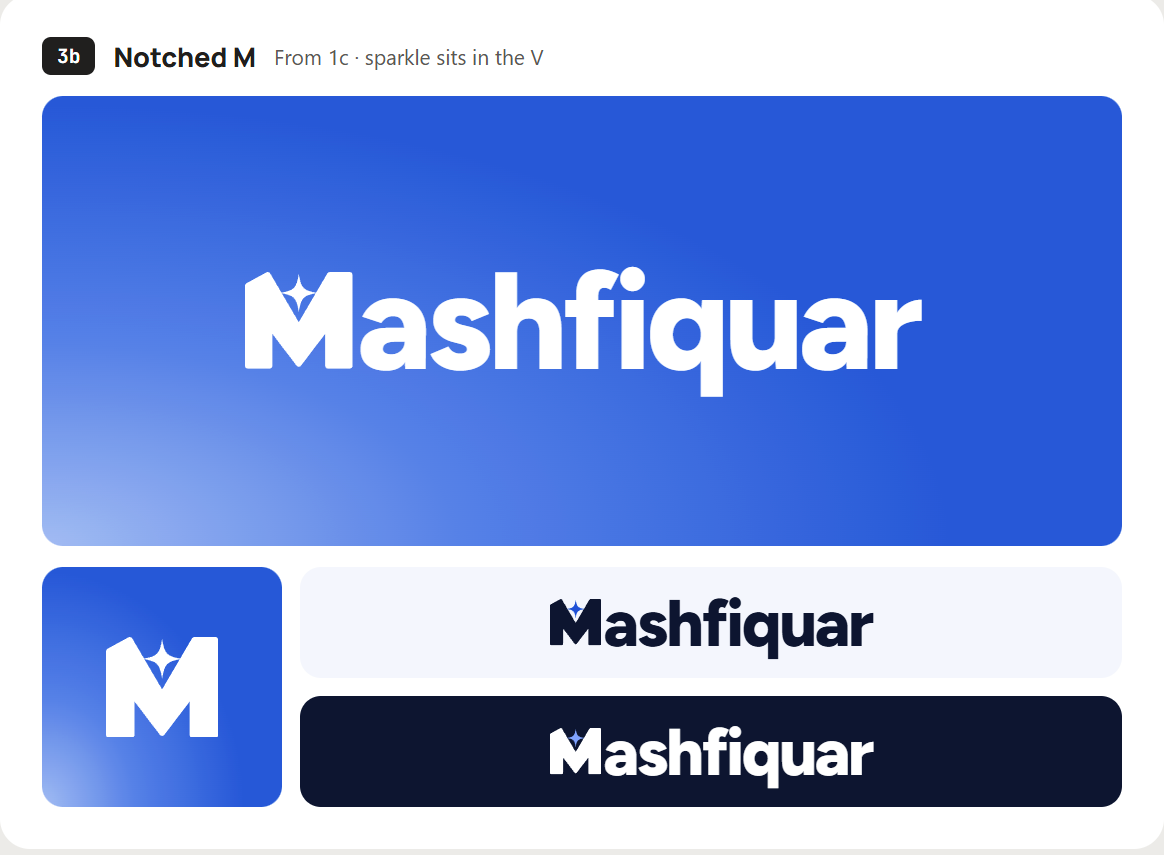
Round one kept the name in a heavy lowercase with a sheared i-dot and tried three ways to build the M: split pillars with a floating V, twin arches, and a solid block with a V carved out of the top.
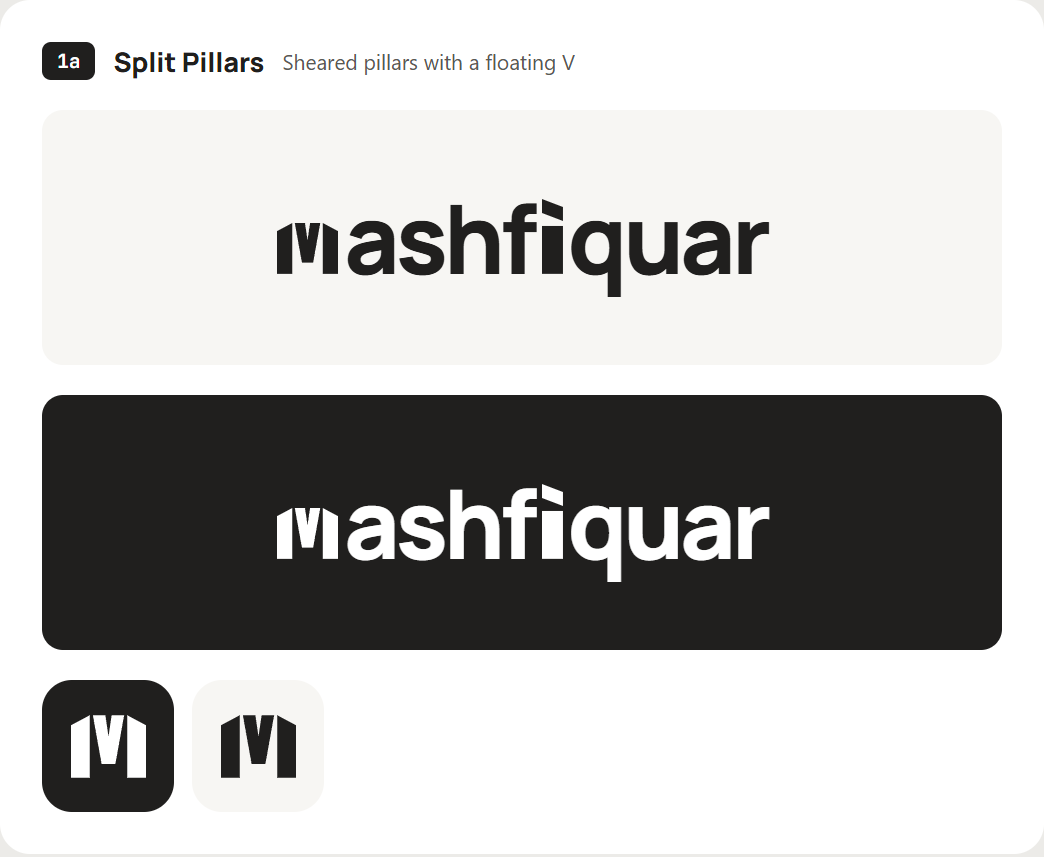
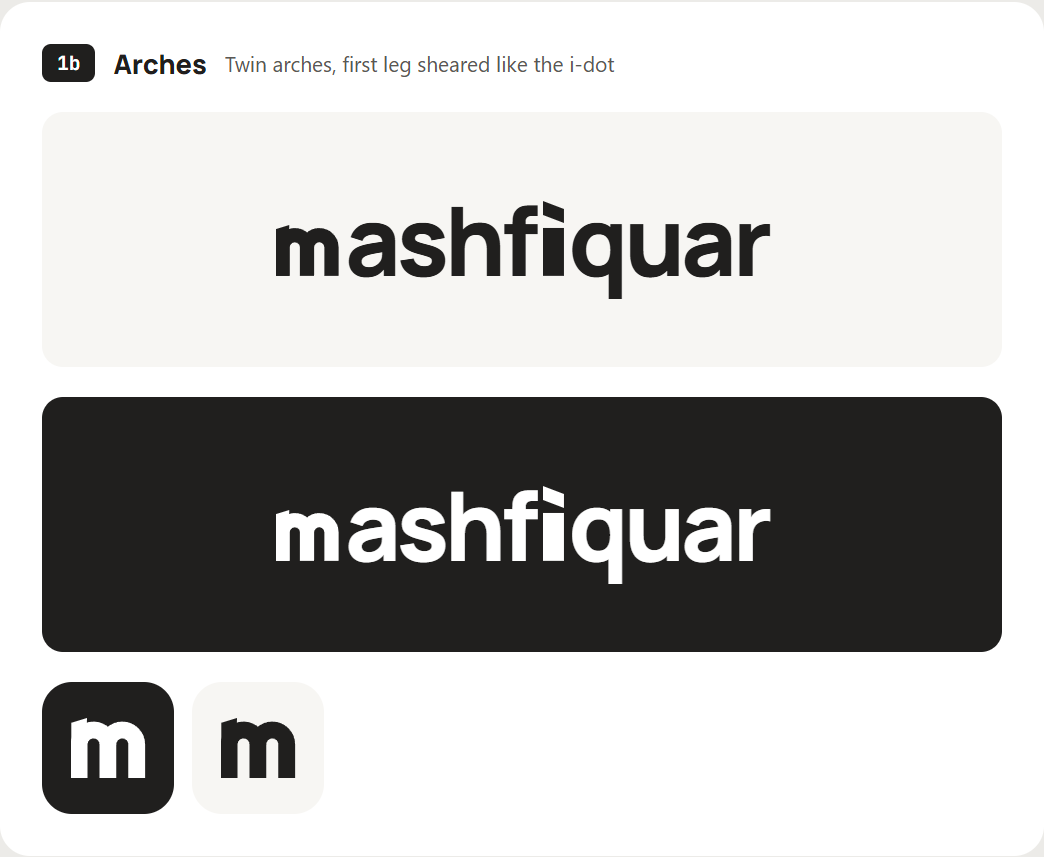
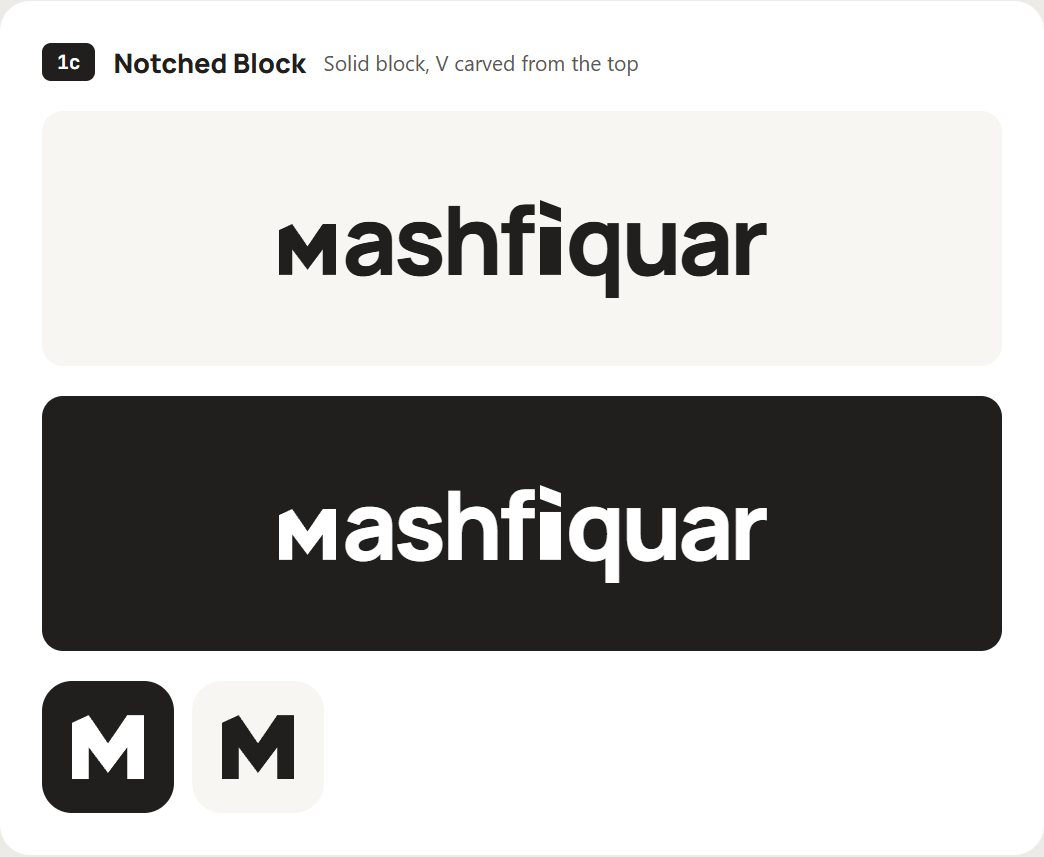
All three were clean. None of them had any energy, and none of them used the blue.
Round 2: a slanted M and a spark
For round two I asked for something chunkier and slanted, sitting on the blue gradient. Claude Design added a small four-point spark to each version: as a lead-in, rising out of the V, or at the end of the stroke.
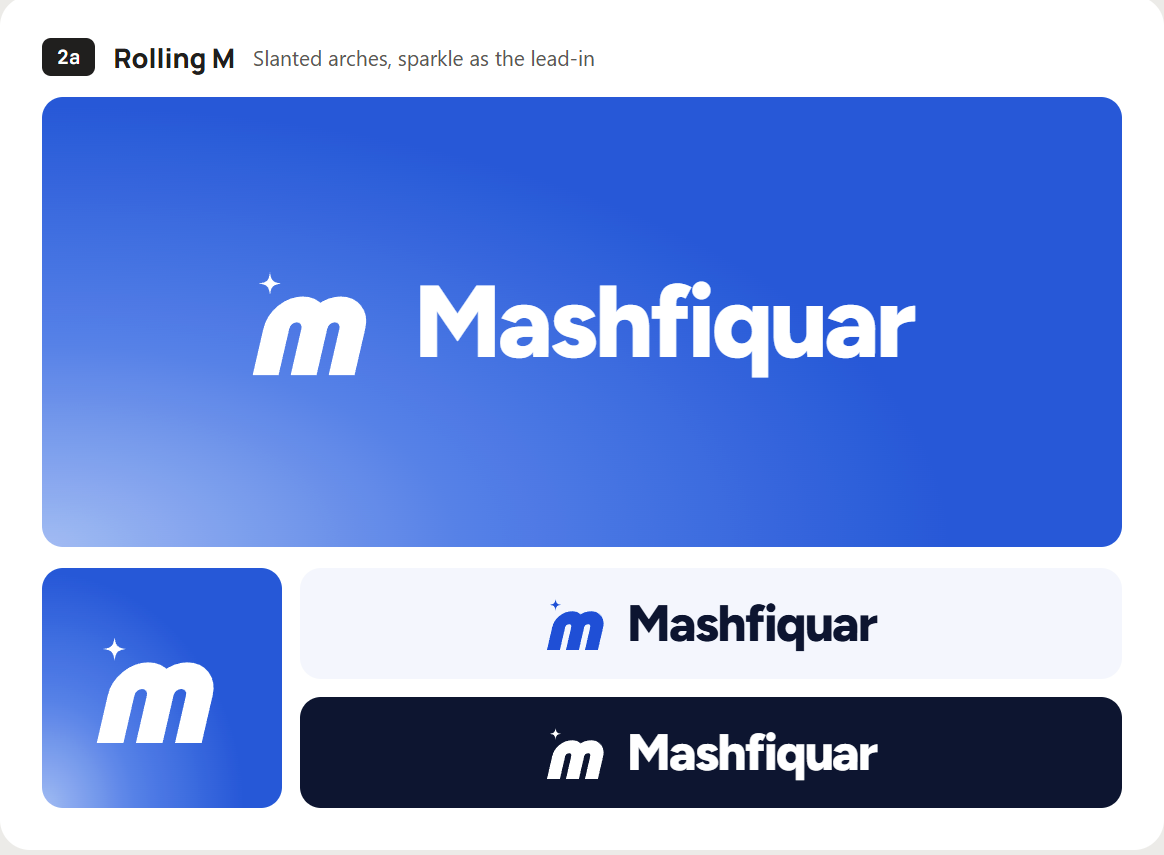
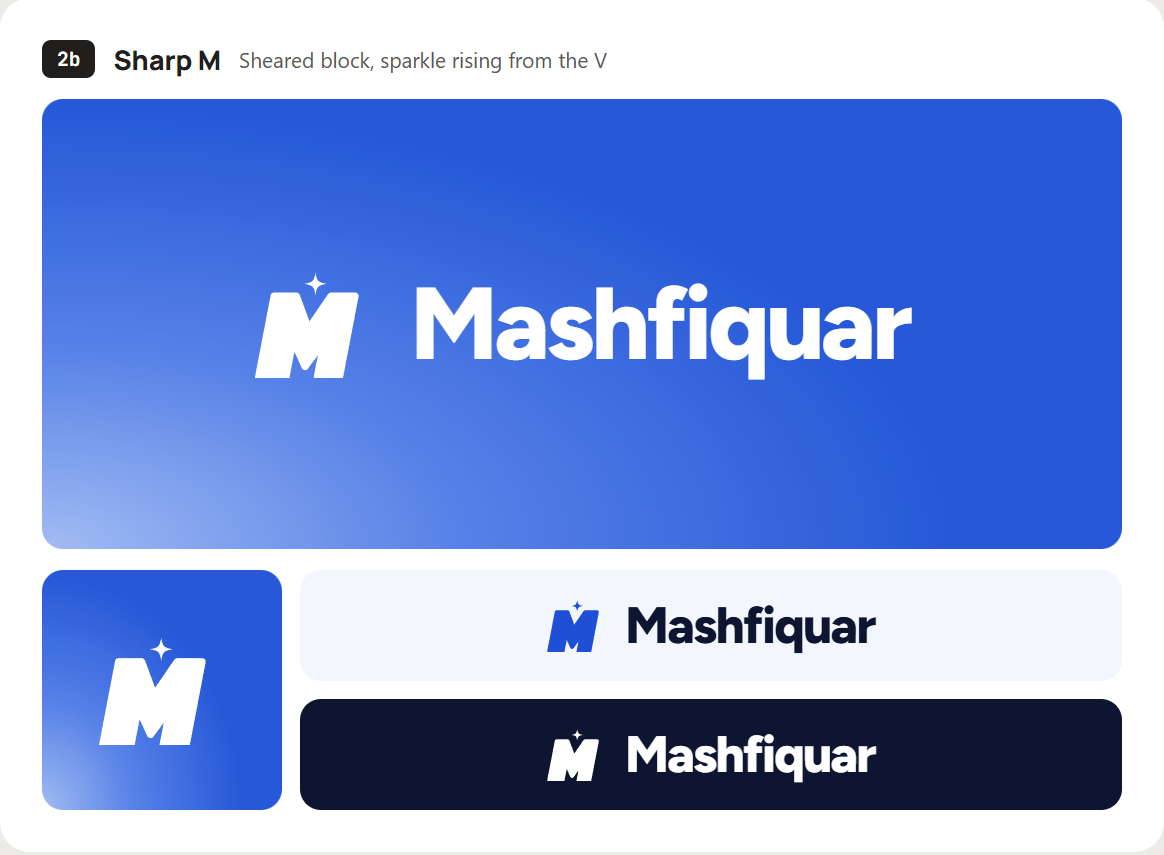
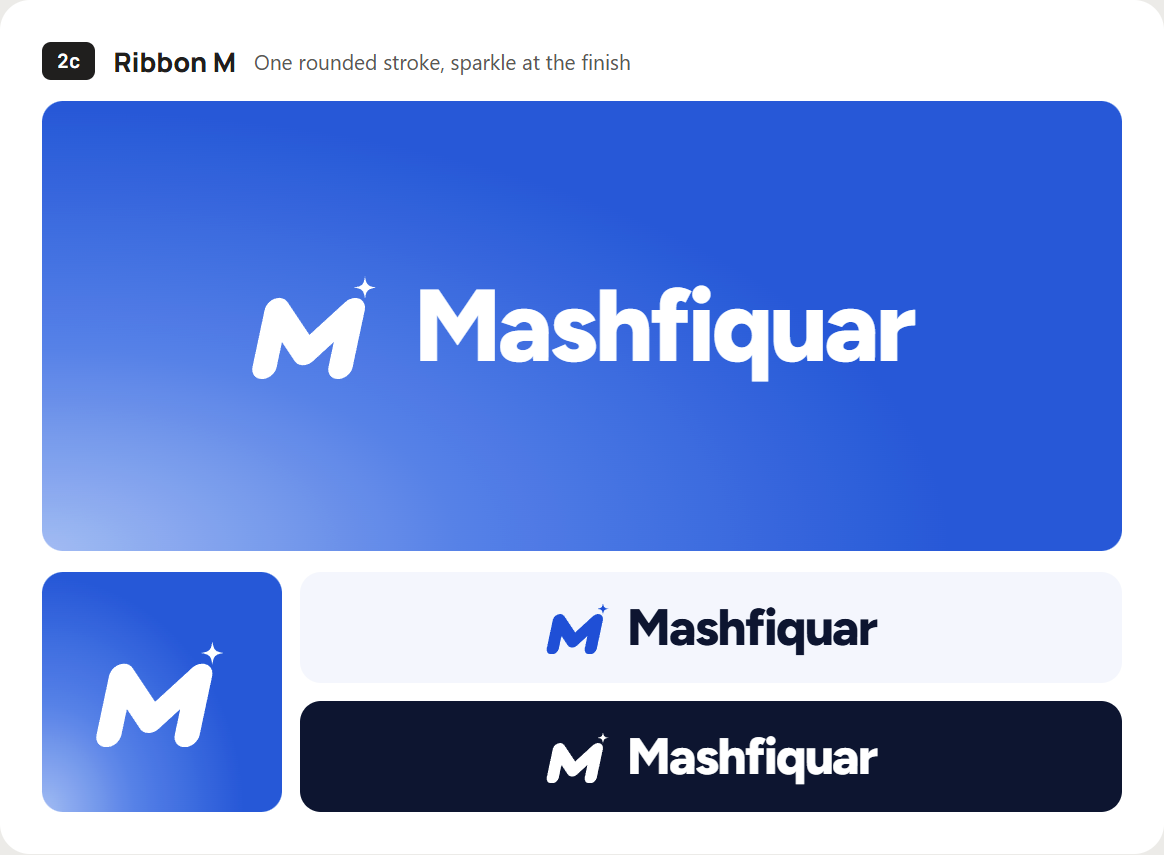
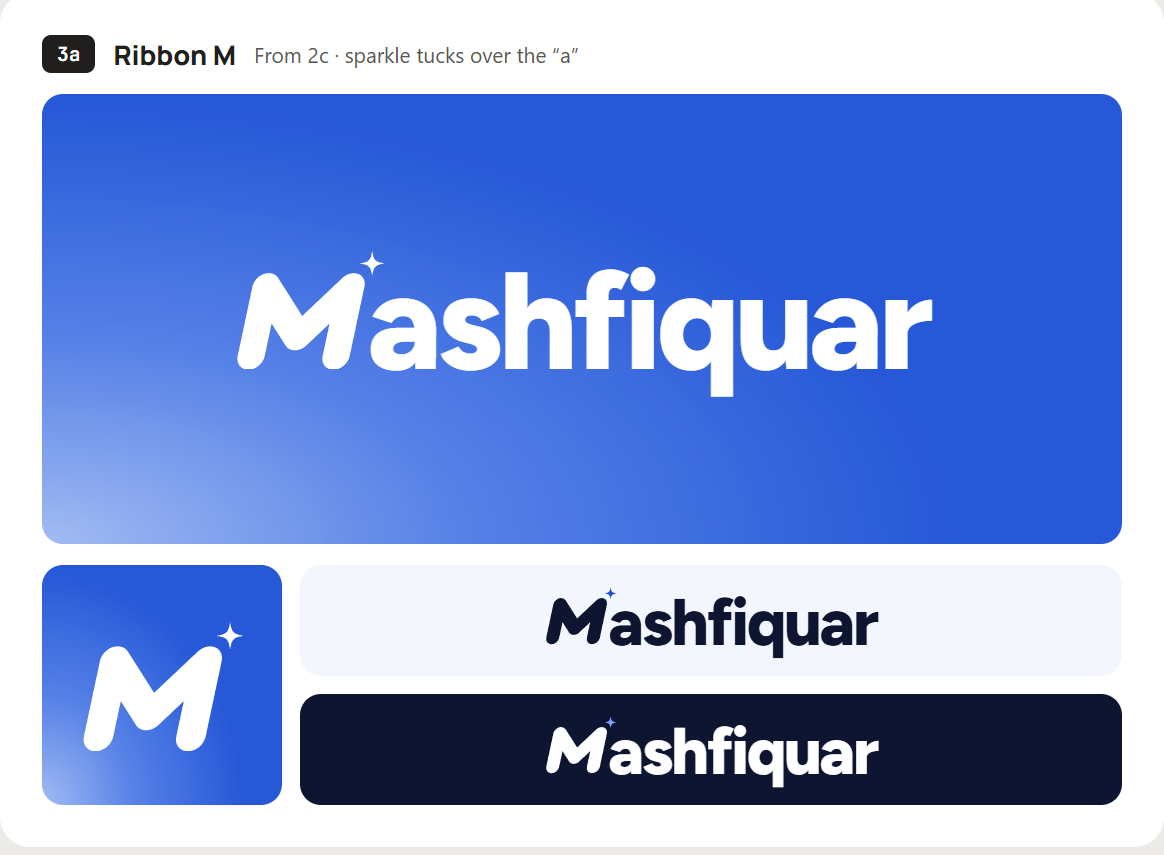
The Ribbon M stood out: one rounded stroke, leaning forward, finished with a spark in the top corner.
Round 3: the mark becomes the M
Round three merged the monogram into the name, so the mark replaces the M instead of sitting in front of it. I put the Ribbon M up against the Notched M from round one.
The final mark
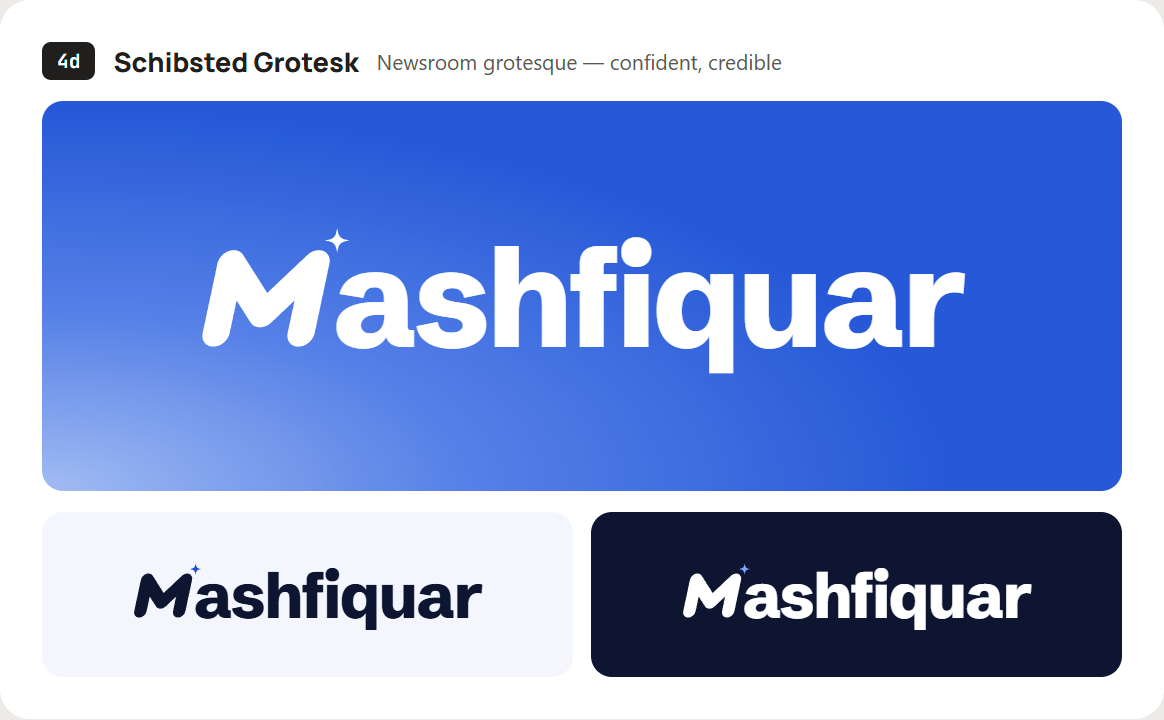
I chose the Ribbon M with the star in the corner. To me, that star stands for a passion for excellence: doing the work properly even when nobody would notice the difference. Claude Design then set the wordmark in four typefaces, and Schibsted Grotesk won for feeling confident and credible while staying easy to read.
The brand kit: one mark, one blue, one typeface
With the logo done, Claude Design helped me turn everything into a brand kit, so half of it was built with Claude. It covers logo rules, clear space, color, type, the spark and example layouts, and its first page sums it up: one mark, one blue, one typeface.
Color
Signature Blue
#1F4FD6
Links, buttons, hero
Ink
#0D1530
Text, dark surfaces
Sky
#7FA3FF
Accents on Ink only
Mist
#F4F6FC
Light backgrounds, cards
White
#FFFFFF
Page base, logo on blue
The kit also sets rough proportions: about 40% Mist and white, 30% blue, 22% Ink and a small amount of accent. Every text pairing passes WCAG AA, and white on Ink reaches 18:1.
Type
Schibsted Grotesk does almost everything, from 72px display headlines to 18px body text. JetBrains Mono is only for small technical labels, like the dates on my blog cards.
The spark
The four-point spark comes straight from the logo. On the site it replaces bullets in lists, marks new items and shows up as a faint background pattern. The kit says to use it about once per view, so it keeps meaning something.
Once the kit existed, I made a final pass on the landing page and carried the same system through every other page. Here’s where it shows up:
| Element | Where | Why it’s there |
|---|---|---|
| Signature gradient | Home hero, call-to-action bands | A blue glow from the bottom-left with light film grain. Backgrounds only, never on the logo. |
| Eyebrow labels | Above section headings | A dot and a short label tell you where you are before you read. |
| Stats band | Home page | Numbers first, then the story. |
| Spark bullets | Lists and service cards | Ties every page back to the logo. |
| Soft cards | Services, work, blog | Rounded corners and 1px borders instead of shadows. |
Building it in Claude Code, one page at a time
Then I moved to Claude Code for the actual build. With Matt’s tips and prompt in hand, it was a smooth run. I added one rule of my own: one page at a time.
- Build one page from the Claude Design file.
- Check that the design elements are correct and consistent with the pages already built.
- Make sure every element is created natively in Elementor and Astra, not pasted in as custom code.
- Only then move on to the next page.
Because everything was built natively, the whole site runs on very few lines of custom CSS, and I can change any section in the visual editor myself. See the result on the services and work pages.
Claude Code worked on the live site through Novamira, a plugin that connects WordPress to AI agents. I wrote up how that went in my Novamira WordPress plugin review.
Get the prompt Matt used in the tutorial
Metics Media shares the Claude Design and Claude Code prompts from the video as a free PDF. It’s where I started before adding my own rules. Or watch the full tutorial first.
AI isn’t perfect, and checking is your job
Did the end result come out flawless? No. AI makes mistakes. Your job is to find them and ask Claude to correct them. When you review each page, look for:
- Spacing that drifts between sections built at different times
- Layouts that break at tablet and mobile widths
- Small differences between the design file and the built page
The fix works best when you’re precise. “The cards on the services page sit too close together on tablet” gets a better result than “the spacing looks off”.
Why I chose Claude
To be honest, I started with Claude because I already paid for Claude Pro for content work, and I’d heard it was good at code and WordPress. I’d used other AI chatbots before, and Claude still surprised me.
I built the site with Opus 5.5, which wasn’t even the top model at the time. It was efficient with tokens, and I didn’t hit my usage limit once.
I had so much fun that I went overboard. The site grew to seven pages, more than I planned, and now I have to fill them with content. That sounds like another project with Claude.
What I’d tell you before you build yours
- Make the brand kit first. A logo, one main color and one typeface, even rough ones, before you ask for a single page.
- Give Claude Design real inputs: your photo, your colors, your logo and a few sites you admire.
- Explore the logo in rounds, and let each round narrow the choice.
- Build one page at a time in Claude Code, and review each one before moving on.
- Ask for native builder elements, so you can edit the site yourself later.
- Plan the content early. The build is the fun part. The writing takes longer.
If you are about to build your own professional portfolio website, I hope this saves you a redesign or two. Best of luck with your next project.
Questions about building a portfolio with Claude
Can Claude build a professional portfolio website on WordPress?
Yes. I used Claude Design for the layouts and brand, and Claude Code to build them in WordPress with Astra and Elementor. You still need to review every page, because it does make mistakes.
Do I need a brand kit before using Claude Design?
You can start without one, but you’ll get a generic site. Even a simple kit with a logo, one main color and one typeface makes the output far more specific.
Why WordPress instead of a headless setup like Astro?
For a portfolio, WordPress with Astra and Elementor was simpler to build and easier to edit. A headless setup can be faster, but it adds more infrastructure than I needed.
Did building the site hit Claude’s usage limits?
Not for me. I built the whole site on Claude Pro with Opus 5.5 and never reached the limit.
Written by
Mashfiquar Rahman
GTM and growth consultant for SaaS teams, remote from Dhaka. I write one post a month from client work, usually with the numbers.
Building your own portfolio with Claude?
Send me your site or your Claude Design file. I’ll tell you the first thing I’d change.